On this page, you can search for equipment builds that match your conditions and view them in a list.
By specifying weapon types and skill conditions, you can find the most suitable builds.
Basic Usage
- Set conditions such as weapon type and element
- Add skill conditions if needed
- Press the "Search" button to display results
👉 Sorting is automatically applied when changed
👉 Changes to activation rates are reflected in the search results (After changing settings, you need to search again)
Search Condition Settings
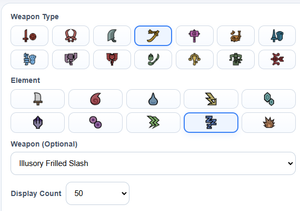
In the search conditions, you can set filters to narrow down equipment builds.
- Weapon Type (Required: select an icon)
- Element (Required: select an icon)
- Weapon Name (Optional. If not specified, the search may take longer)
- Number of Results to Display
Changing search conditions alone will not update the results.
Press the "Search" button to refresh.
👉 Narrowing down the conditions makes it easier to find the build you are looking for
Skill Condition Settings
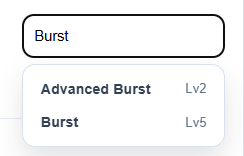
You can search for and add the skills you need.
The Quick Conditions block contains skills and conditions that are often used in searches, so click them to add them.
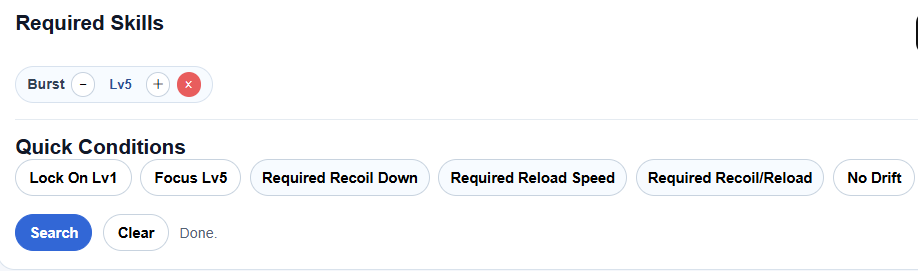
👉 Use this when you want to search for builds that include specific skills.
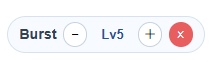
You can adjust the level of each added skill using the displayed label.
Builds that include the selected skills at or above the specified level will be returned in the search results.
Skill Activation Rate / Excluded Skill Settings
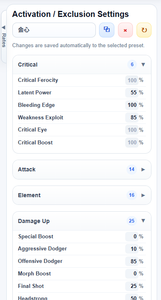
As with the Equipment Builder (Editor), you can set activation rates and select presets.
(For details, refer to Equipment Builder)
By changing skill activation rates and performing a search, the results will be displayed based on the expected damage calculated with those rates.
Unlike the Equipment Builder (Editor), skills that are always active are also displayed, but their activation rates cannot be changed.
Even if a skill's activation rate cannot be adjusted, you can click the displayed skill name to exclude builds that contain that skill.
Clicking it again will include those builds back in the search results.
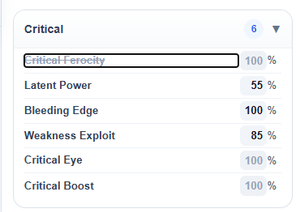
👉 By adjusting required skill conditions and excluded skills, you can narrow down builds more effectively.
Changing activation rates alone will not update the results.
Press the "Search" button to refresh.
How to Read the Search Results
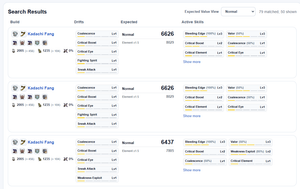
Search results display the equipment build and its evaluation values.
※ Builds shown higher in the list have better evaluation values.
- Equipment build (weapon and armor)
- Weapon stats (including Style Boost values)
- Drift skills
- Expected damage
- Element 1.5x expected damage / weapon-specific expected values
👉 You can compare these values to select the most optimal build.
Sorting
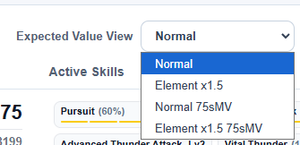
Search results can be sorted.
- By expected damage
- By element 1.5x expected damage
- By other weapon-specific evaluation values
👉 By sorting based on your goal, it becomes easier to find the optimal build.
👉 Sorting changes are applied automatically.
Open Equipment Build
Click a build in the search results to view its details on the Equipment Build page.
※ If you want to make more detailed adjustments, use the Equipment Builder (Editor).
👉 You can quickly edit and compare builds you are interested in.